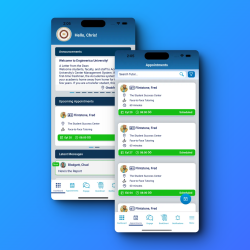
We are happy to announce new features in Accudemia to support center staff and students working remotely. Whether your student services require appointments, your centers allow drop-ins, or you need a waiting line to control access to specific resources, recent changes to Accudemia will help you bring all these things online.
Here are the two major enhancements we have made within Accudemia to help you and your students:
1. Remote Sign In Process
Use this option to keep your drop-in (walk-in) services. Students will be able to sign into a center remotely and will be added to a waiting line. Instructions about how to join an online meeting session can be shown to students when in line or when staff members are ready to assist them. Accudemia will create a session log for the online session so that you still have access to see data pertaining to which students are participating in which services. Tutors, advisors and other staff members can also create a unique sign-in link and share it with their students. The link carries the instructions students need to sign in and join the online meeting, so the center keeps tracking how its resources are used. The virtual sign-in guide explains how to set it up.
Watch this video to see it in action:
Accudemia
Your center helps more students than you can prove
Accudemia records every visit, appointment, and session on its own, then builds the reports deans, funders, and accreditors ask for. One college counted over 4,000 visits its previous tools had missed.
96 percent renewal across 500+ academic centers

2. Scheduling Virtual Appointments
This option is used if your services require an appointment. Students will be able to select services offered online and book a meeting time. You can choose to include the meeting link in the confirmation and reminder emails or only share this link moments before the meeting. Additionally, a “join now” button will appear on screen within Accudemia just minutes before the meeting that will take students and staff to the meeting with a single click. Accudemia will automatically keep track of whether or not students keep their appointments and create session logs.
Watch this next video to see how this works:
Additional virtual options also available in Accudemia
Live Online Chat
Did you know, you can offer online chat to your students? When this option is enabled, a new toolbar is displayed with the Contacts button. Students can engage in live Chat with available staff.

Mobile-Friendly Access
Accudemia is cloud-based and mobile-friendly. Students and staff can join from any device with an internet connection and a browser. Intuitive screen sizing will make it possible to access everything you need.

Text and Email Messaging
Need to send a text or email message now? You can quickly search for a student and have the option to send them a message via SMS text or email within Accudemia.
Pop-up and Home Page Announcements
Broad announcements like new online services, hours of availability, and more can be broadcast to students and staff as they log on in the form of general news on the home page.