It is 8:40 on opening morning, doors open at 9, and the badge table has a problem. Three staff are digging through alphabetized boxes while the line doubles back past the sponsor banners. Behind them sits a carton of pre-printed badges for the 200 registrants who will never show up. Nobody at that table chose the badge printer. Somebody chose it months ago, usually in ten minutes, usually on price.
The choice deserves more than ten minutes, because it decides how fast that line moves, what each credential costs, and whether a walk-in registrant can be badged at all.
The four printer types that print event badges
Event badges come off four kinds of hardware: direct thermal label printers, color inkjet label printers, plastic card printers, and an ordinary office printer loaded with pre-cut badge sheets. Volume and badge material decide which one belongs at your registration desk.
| Type | Example model | Rated output | Consumables | Fits |
|---|---|---|---|---|
| Direct thermal label | Zebra ZD421, Brother QL-820NWBc | Up to 6 inches per second (Zebra, 203 dpi); up to 110 standard labels per minute (Brother) | None: no ink, no toner | On-demand printing at check-in |
| Color inkjet label | Epson ColorWorks CW-C4000 | 1 to 4.25 inch widths, up to 1200 dpi | Ink | Full-color badges printed in-house |
| Plastic card | Zebra ZC300 | 900 monochrome or 200 color cards per hour, single-sided | YMCKO color ribbon | Durable credentials and access passes |
| Office printer plus sheets | Avery 5392 inserts, 6 per sheet | Standard laser or inkjet speed | Toner or ink, plus holders | Small events, pre-printed lists |
The models are examples with published specifications, not the only options, but each is representative of what its class costs to run and how it behaves at a desk.
Match the printer to your registration volume
The printer question is really a throughput question: what matters is badges per minute during the arrival rush, not total attendance. A 1,000-person conference does not arrive evenly across the day. It arrives in a bunch ahead of the opening keynote, and the desk either absorbs that bunch or becomes the story of the morning.
The verified numbers give you the desk math. Brother rates the QL-820NWBc at up to 110 standard labels per minute, and a badge-sized label runs slower than an address label, yet even a quarter of that rate outruns any check-in desk. A color plastic card is the opposite case: at the Zebra ZC300’s rated 200 single-sided color cards per hour, each card takes roughly 18 seconds, so one card printer serving a rush becomes the bottleneck.
The working rule: thermal printers scale by adding stations, card printers scale by printing in advance.

Badge material decides more than looks
Pick the badge material before the printer, because the material list constrains the hardware list. Paper inserts in plastic holders are the budget default and print on anything, including the office laser printer through pre-cut sheets like Avery’s 3 by 4 inch inserts. Synthetic thermal stock resists tearing and rain and runs through direct thermal hardware. Plastic cards in CR80 format, the size of a credit card, come out of card printers like the ZC300 and survive a week of lanyard wear.
The failure mode is choosing by appearance. A beautiful laminated card for a one-day seminar is money spent on durability nobody needs, and a paper insert at a three-day outdoor festival is a credential that dissolves. Match the material to the length and conditions of the event, then shortlist printers that handle it.
What goes on the badge is its own decision: our guide to conference badge design covers layout, type sizes, and what belongs on the front.
Conference Tracker
Check people in fast. Prove they were there.
Conference Tracker scans attendees with the phones your staff already carry, tracks time in every session, and issues certificates and CEU transcripts on its own. One conference ran 2,623 attendees across 186 sessions on it.
30+ years building attendance tracking for events and education

What printing a badge actually costs
Cost per badge is stock plus consumables plus hardware amortization, and consumables are where the types separate. Direct thermal printing uses no ink and no toner at all; the heat-sensitive stock is the entire recurring cost, which is why thermal hardware dominates high-volume check-in. Brother states this plainly for the QL-820NWBc, and it holds for the whole class.
Color inkjet adds ink as a per-badge line. Plastic cards add a YMCKO color ribbon on top of the card stock, which is why a full-color card credential costs multiples of a thermal badge. Office-printer inserts look nearly free per sheet until you add the holder and lanyard each one requires.
Amortization is the quiet line. A printer used once a year carries its whole price on one event, which is the arithmetic behind the next question.
Rent or buy the printing hardware
Rent when badge printing happens once a year or moves between cities; buy when you run several events a year and someone on staff owns storage, media stock, and maintenance. The break-even usually lands at two to three events, and for a single annual conference, buying a color card printer is the wrong call.
Rental firms ship event-ready units with stock, spares on call, and return labels, which converts a capital purchase into a per-event line item and removes the “who has the printer” hunt every spring. Ownership wins once the hardware works multiple events: the per-event cost falls toward consumables, staff learn one machine, and testing happens on your schedule instead of a delivery window.
Whichever way you go, order media early. Badge stock in your size and material is the component that runs out first and ships slowest.
Print before the event or at the door
Pre-printing suits a locked registration list; on-demand printing at check-in suits reality. Printing at the door eliminates the pickup table, the alphabetized boxes, and the carton of no-show badges, and it is the only model that can badge a walk-in registrant at all.
Pre-printing still earns its place where the list is stable and the audience arrives at once: a corporate meeting with a fixed roster, a gala with assigned seating. The hybrid pattern many conferences land on is pre-printing for speakers, staff, and exhibitors, whose records are settled weeks out, and on-demand printing for attendees, whose records change until the doors open.
If your registration platform supports it, on-demand printing also repairs typos on the spot. The misspelled name that would have meant a hand-corrected badge becomes a ten-second reprint.
Security features worth paying for
A scannable code that gates session entry beats every visual security feature, because it takes the judgment call away from door staff. A volunteer cannot reliably spot a borrowed or photocopied badge by eye; a scanner rejecting an unknown code needs no judgment at all. If your event controls access to paid workshops, certification sessions, or an exhibit hall, the code is the feature to insist on.
Holograms, UV marks, and foil stamps are theater for most conferences. They belong on credentials with monetary value, a multi-day festival wristband or a backstage pass, where forgery has a market. For a professional event, spend that budget on a second thermal printer instead.
One more constraint from the scanning side: a code only works at the size and contrast a phone camera reads, so verify your design against your platform’s stated minimum before printing 2,000 of anything.
How Conference Tracker prints badges
Conference Tracker treats the badge as the attendee’s credential, and printing is built in rather than bolted on. Badges are designed in the platform on templates or from scratch, with a default design per role, so a presenter badge and an attendee badge come out of the same system. Each badge carries a QR code that signs its holder in and out of sessions and stays scannable down to 0.8 by 0.8 inches. Badges print on direct thermal label printers among other hardware, so high-volume events run with no ink or toner line at all.
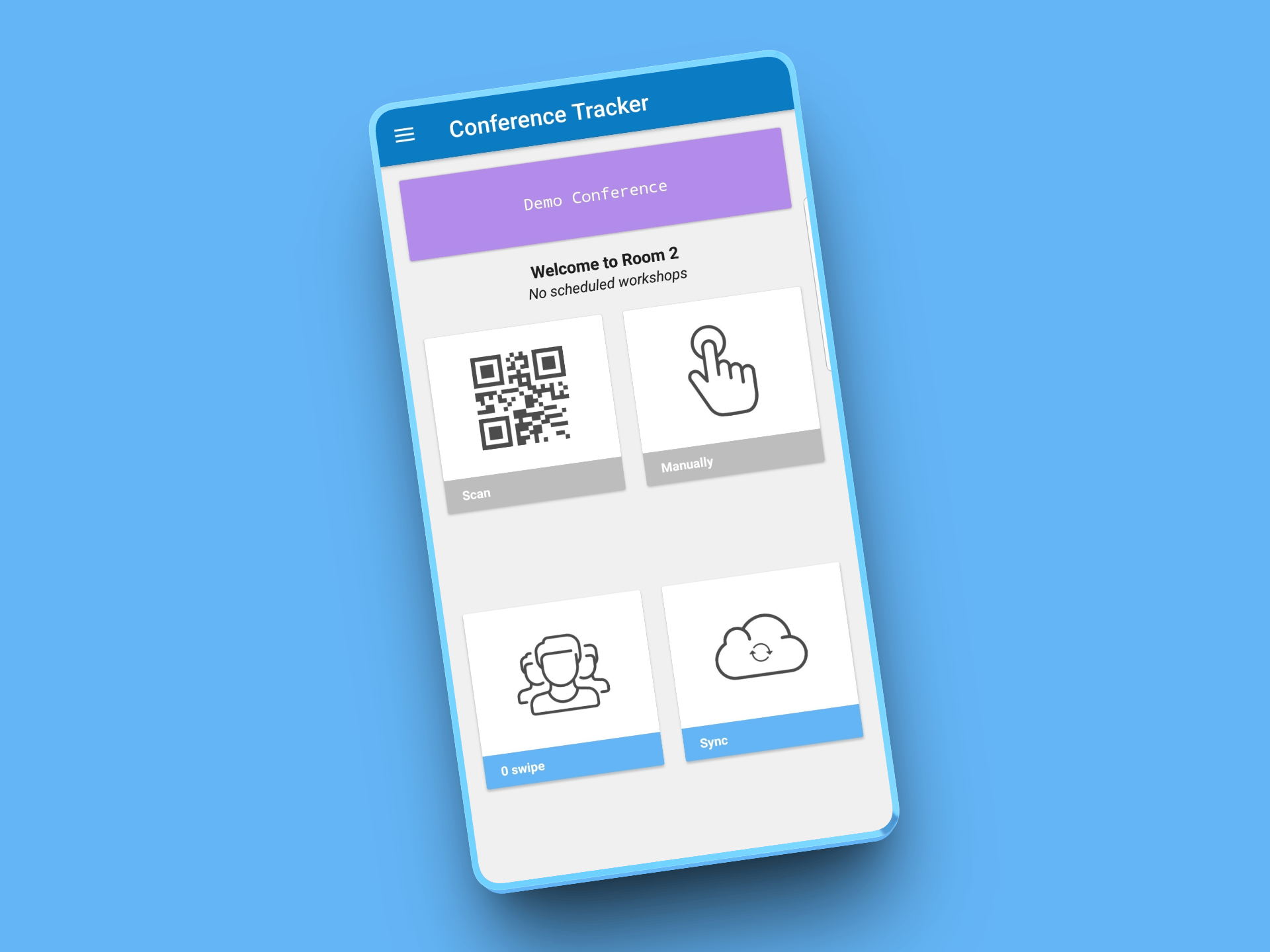
The workflow features map to the failure modes above. The arrival desk checks an attendee in and prints their badge in one action. Batch runs can be limited to badges modified since the last print, so a correction never means reprinting the event. Badges can be emailed ahead as one file per attendee, a walk-in registration kiosk signs up, charges, and credentials someone who never registered, and an attendee who forgets their badge can be scanned from the electronic badge in the attendee app. For events where pass-sharing matters, a session QR code can refresh on a timer, so a photographed code stops working.
See the whole chain on your own event’s rules, from registration to badge to scan: request a Conference Tracker demo.
What is the best badge printer for events?
The best badge printer is the one matched to your volume tier and badge material. Running high-volume check-in with on-demand printing: a direct thermal unit like the ZD421 or QL-820NWBc, one per desk. Printing full-color badges in-house ahead of time: a color label printer like the CW-C4000. Issuing durable access credentials for a secured or multi-day event: a card printer like the ZC300, printed in advance because of its per-card speed. Badging a 60-person seminar: insert sheets through the office printer, plus holders.
Then place the printer inside the rest of your event tech stack rather than beside it: the badge only earns its keep when the code on it connects to registration, check-in, and session tracking. If you are still choosing that platform layer, our comparison of Cvent alternatives covers the field. And whatever you shortlist, run one live test with your own badge stock before opening morning. The 8:40 line is a hardware test you only get to fail once.