
AccuKiosk turns an iPad or Android tablet into the student attendance kiosk for your center. Students type their ID, scan a barcode, or scan a QR code, and each sign-in uploads to Accudemia on its own.
Stand it at the front desk as a self-service kiosk, or carry it as a hand-held scanner for a class, a workshop, or an orientation.
Please note: This app is designed for Accudemia administrators. Only Accudemia center management users can log in. Available for both iOS and Android.

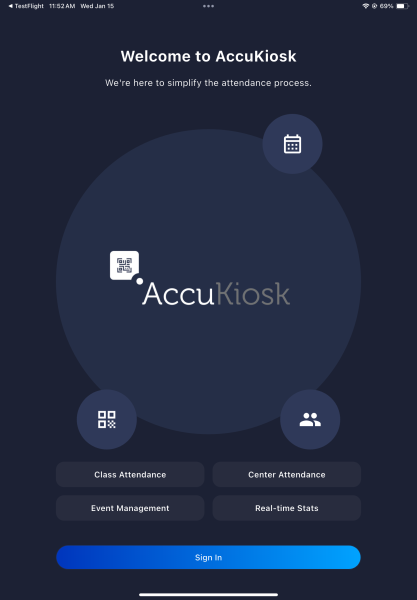

What AccuKiosk Does
Three ways to sign in
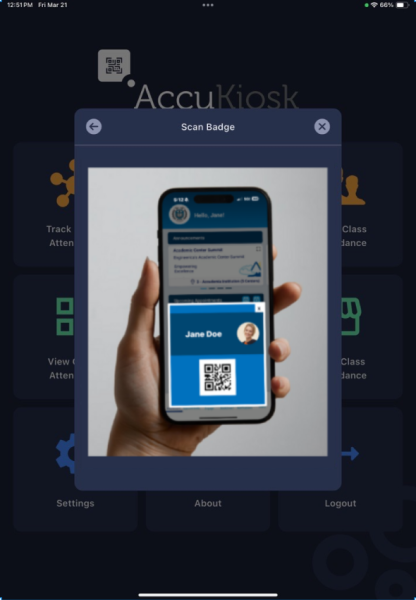
Students type an ID, scan a QR code, or swipe a magnetic stripe card through a cordless reader.
Classes and events
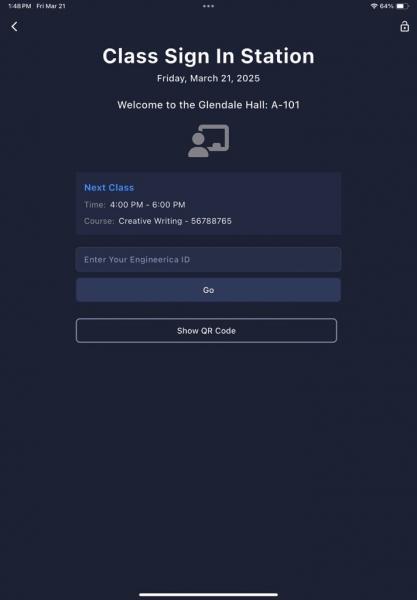
Take attendance for a class, an orientation, or a seminar, away from any desk.
Kiosk or hand-held
Leave the tablet on a stand as a kiosk attendance system, or walk the room and scan.
Any center with a sign-in sheet
Tutoring centers, advising centers, gyms. If people sign in on paper today, the tablet replaces the sheet.
Live attendance logs
See who signed in on the app, or run full reports in Accudemia.
Synced as it happens
Every sign-in syncs to your Accudemia account in real time.
AccuKiosk Questions and Answers
1) What is AccuKiosk?
AccuKiosk is a mobile app add-on for the Accudemia system. It allows you to run your center’s sign-in station on a mobile device or tablet. You can also use it to record attendance for Events and SI (Supplemental Instruction) Classes.
2) I already have a sign-in station at my center. Why should I use AccuKiosk?
AccuKiosk offers a sleek, modern alternative to traditional desktop sign-in stations. Instead of using bulky computers and monitors, you can run your station on an iPad or tablet, saving space and improving flexibility. AccuKiosk also supports mobile sign-ins at remote activities, events, or classes.
3) Can I use AccuKiosk on a table or desktop?
Yes, you can use AccuKiosk on a table using desktop stand. It also works well on wall-mounted tablets, podium stands, or handheld devices—offering more flexibility than traditional desktop stations.
4) What display case or bracket should I use?
You can use any tablet stand or bracket that fits your device. If you saw a model you liked in one of our videos, reach out to our team—we’re happy to share product details.
5) What mobile device do I need to run AccuKiosk?
AccuKiosk is compatible with both Apple iOS and Android devices. You’ll find the app in the Apple App Store and Google Play Store.
6) Is there a fee to use AccuKiosk?
Currently, AccuKiosk is free to use. While this may change in the future, we guarantee free access for at least the next few months. If a fee is introduced later, it will be nominal and aimed at supporting ongoing app development.
7) I’m an Accudemia Lite user—can I use AccuKiosk?
Yes! All Accudemia users, including those on the Lite plan, can use AccuKiosk as their sign-in solution.
8) How do students sign in using AccuKiosk?
Students can sign in using a variety of methods:
- Entering their student ID using the on-screen or a physical keyboard.
- Scanning a barcode on their ID using the tablet’s camera.
- Scanning a unique QR code (either printed and attached to their ID or displayed on their mobile device via the Accudemia app).
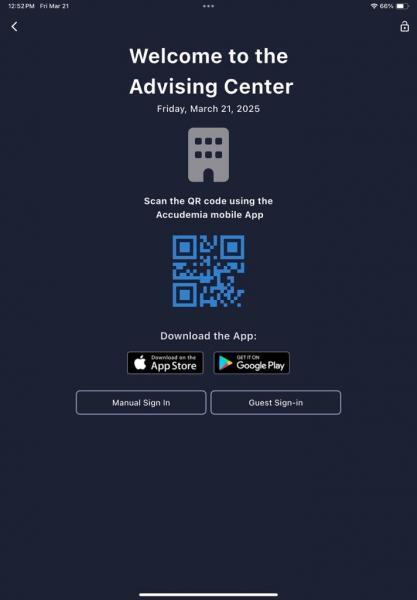
- Scanning the kiosk’s QR code with their phone to complete the sign-in process on their own device.
- Using a physical Bluetooth barcode/QR reader.
9) What sign-in method do you recommend?
We recommend QR code scanning. It’s fast, accurate, and doesn’t require any additional hardware. Students can either:
- Scan their unique QR code at the kiosk and finish the sign-in on the kiosk screen, or
- Scan the kiosk’s QR code using their phone and complete the process via their own device.
10) How do students get their QR codes?
You can print QR codes on sticker paper and distribute them to students to place on their IDs. Alternatively, students can access their QR codes in the Accudemia app and display them on their phone for scanning.
11) Where can I download AccuKiosk?
You can download AccuKiosk from the Apple App Store or Google Play Store.
12) I still have questions that aren’t answered here. What should I do?
No problem! Feel free to contact the Accudemia support team—we’re happy to help.
